

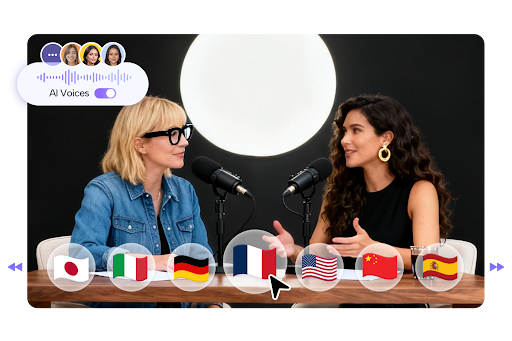
How to Create a Multi-Language Podcast with AI in Minutes
Introduction
Podcasting has become one of the fastest-growing ways to reach audiences worldwide. As more listeners come from different countries, the ability to publish content in multiple languages has become a huge advantage for creators and businesses.
Traditionally, producing podcasts in different languages required hiring voice actors or translators, which took time and money. With artificial intelligence, this process is now simple and instant.
The JoggAI makes it possible to upload scripts or documents in different languages and automatically generate natural-sounding podcasts. You can even turn them into video podcasts with lifelike virtual hosts using its best AI avatar maker.
This guide will show you step by step how to create a multi-language podcast in just a few minutes using AI.
Why Create a Multi-Language Podcast
Creating podcasts in multiple languages helps you connect with global audiences and expand your brand reach. Some of the main benefits include
- Reaching new markets and listeners across different regions
- Building trust by communicating in your audience’s native language
- Increasing accessibility for non-English speakers
- Strengthening international brand identity
- Boosting overall content visibility and engagement
If you already create podcasts in one language, adding more languages can quickly multiply your impact.
Step 1: Prepare Your Scripts or Texts
Start by preparing your content in the languages you want to use. You can either translate your main podcast script manually or use AI translation tools to create versions in different languages.
Make sure that each version reads naturally and fits the cultural tone of the target audience. Clear and simple language works best for AI-generated podcasts.
Your script can come from any source, such as an article, a blog post, or written notes.
Step 2: Choose an AI Podcast Platform
Select an AI tool that supports multiple languages and offers both text-to-speech and podcast creation features.
The JoggAI Podcast Generator is one of the most effective tools available. It supports many languages and allows users to create both audio and video podcasts with ease.
You can upload different language scripts and then assign specific voices to each language version.
Step 3: Upload Your Language Files or Paste Text
Once you log in to the platform, upload your text or PDF files for each language version. You can also paste your content directly into the text box.
For example
- Upload your English version
- Upload your Spanish version
- Upload your French version
The AI automatically detects the language in each file, so you do not need to make separate projects. You can manage all versions in one place for easier production.
Step 4: Select the Corresponding Voice for Each Language
After uploading your text, choose the AI voice that matches the language of your script. JoggAI provides realistic voice options in many languages including English, Spanish, French, German, Chinese, and more.
Each language comes with several male and female voices, so you can pick the one that best fits your brand tone or audience preference.
If you are creating video podcasts, you can also assign a virtual AI host in the same language. The host will speak naturally using the selected voice, adding an engaging visual element to your content.
Step 5: Generate the Multi-Language Podcasts
Once all voices are set, click Generate. The AI will process each language file separately and create a full audio or video podcast version for each one.
Within minutes, you will have multiple podcasts ready to publish. Each version will sound like it was professionally recorded by a native speaker.
If you select video output, the AI syncs lip movements and facial expressions with the language being spoken, giving your virtual hosts realistic communication styles in every version.
Step 6: Review and Edit
Before publishing, review each podcast to ensure quality and pronunciation accuracy. You can listen to the previews, adjust pacing, or replace voices if needed.
Inside JoggAI, you can also edit the script directly or modify certain expressions to make them sound more natural in context.
You may also adjust background music, transitions, or intro and outro segments for each language version to create a consistent global podcast identity.
Step 7: Publish Your Multi-Language Podcast
Once your episodes are ready, export them in your desired format. JoggAI allows exporting in both audio and video formats.
You can publish each version separately on platforms such as
- Spotify and Apple Podcasts for audio
- YouTube for video podcasts
- TikTok or Instagram Reels for short video snippets
Be sure to label each episode with the correct language name so your audience can easily find the version they prefer.
Example: A Global Business Podcast
Imagine a business podcast that shares marketing insights. The creator uploads three text files written in English, Spanish, and French.
Using JoggAI, they select three different AI voices for each language. The tool then generates three podcast episodes, each in a different language.
In less than fifteen minutes, the business now has a multi-language podcast ready to share with audiences worldwide.
Tips for Better Multi-Language Podcasts
- Use short and clear sentences to help AI deliver smoother voice results
- Always review translations before generating the podcast
- Choose voices that match your brand style for consistency
- Keep music and intros the same across languages for a unified brand feel
- Publish on global platforms and include subtitles for wider accessibility
These small steps make your podcasts sound natural and professional in every language.
Advantages of Using JoggAI for Multi-Language Podcasts
The JoggAI Podcast Generator provides several advantages that make it ideal for multilingual creators
- Supports multiple languages and accents
- Offers realistic AI voices and virtual hosts
- Converts text or uploaded files into podcasts quickly
- Provides customization for tone and presentation style
- Reduces production costs compared to hiring native voice actors
- Simplifies publishing across different formats and platforms
It is designed for speed, simplicity, and global reach.
Common Questions
1. Can I upload text in multiple languages at once
Yes. JoggAI can detect and process different languages automatically within separate projects.
2. How many languages does JoggAI support
It supports major global languages including English, Spanish, French, German, Chinese, and many more.
3. Can I make video podcasts in other languages
Yes. You can create video podcasts with virtual AI hosts in different languages using the best ai avatar generator.
4. Do I need to record my own voice
No. The AI voices are fully automated and sound natural without human recording.
5. How long does it take to create a podcast
Usually, it only takes a few minutes depending on the script length.
6. Is JoggAI suitable for teams
Yes. Teams can collaborate, upload files, and manage multiple language projects together.
Conclusion
Creating a multi-language podcast used to take days or weeks, but now with AI tools like JoggAI Podcast Generator, it can be done in minutes.
By uploading text in different languages and selecting the right voices, you can instantly produce natural, high-quality podcasts that reach global audiences.